
Overview
Version 8.0.0 introduces a new generation of creation devices across multiple classes, featuring a major modernization of the Device Details page and UI tables. This release adds comprehensive support for BLE Gateway devices, extends LoRaWAN device management capabilities, and delivers new features alongside significant UI, performance, and stability improvements.
New Features (Stories)
Device Creation Wizard: The wizard has been extended to support the registration of a single LoRaWAN device, Cellular Devices, and Bulk registration of BLE Beacons.
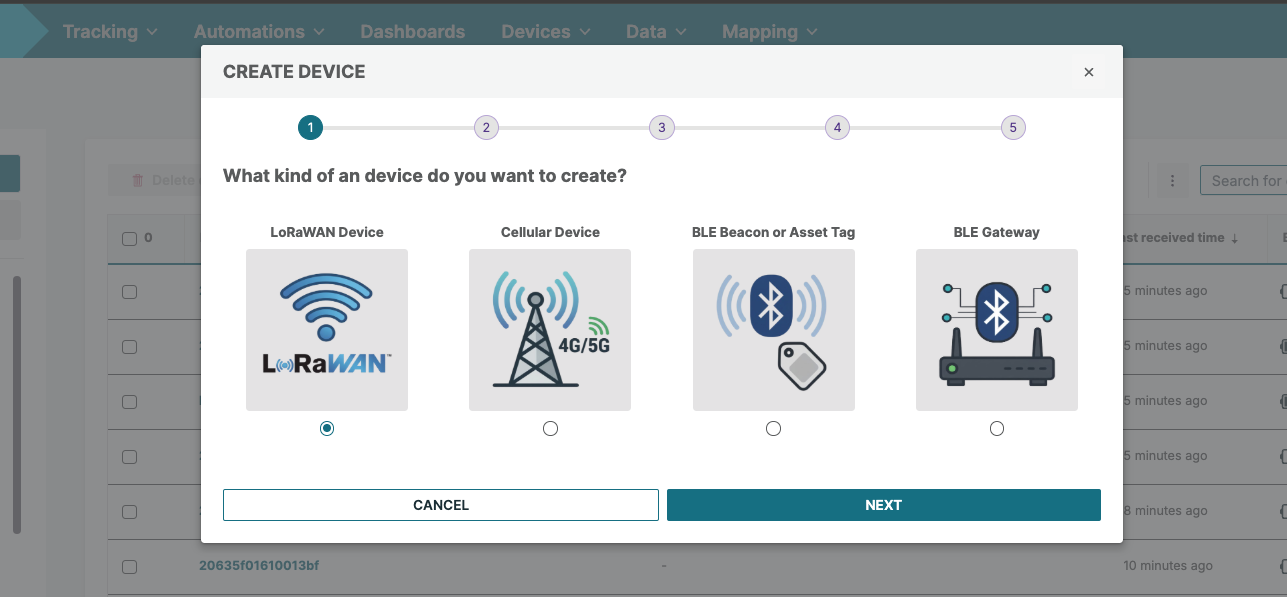
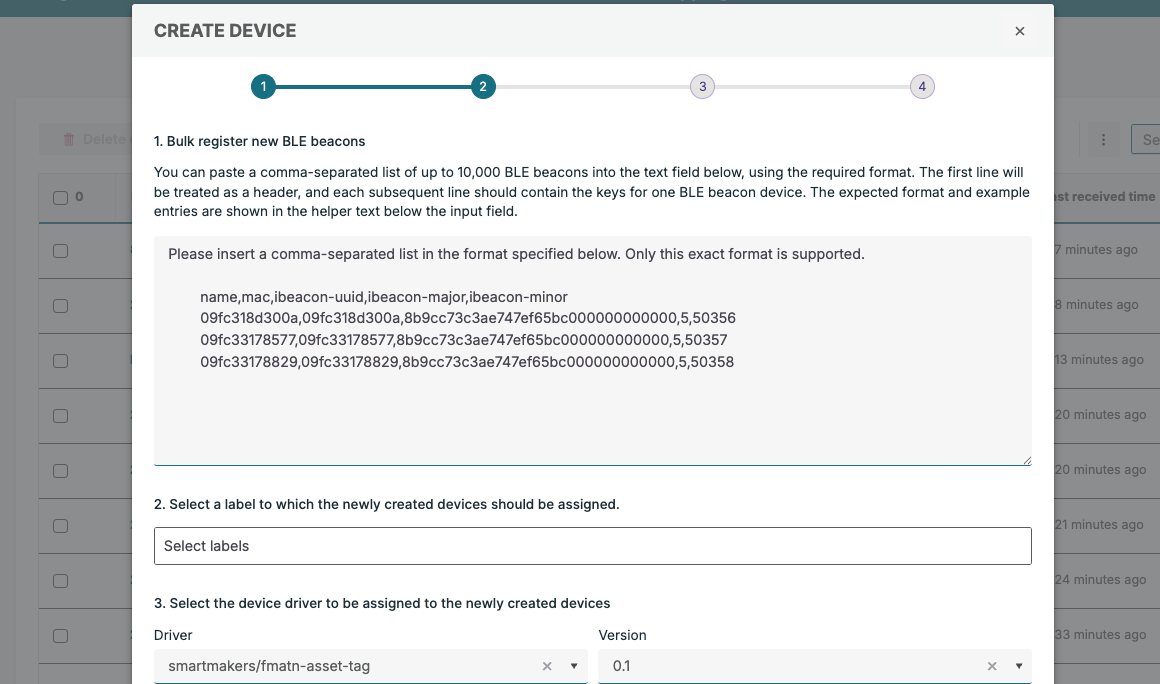
BLE Beacon Device: The Bulk Register Device modal now enables creating multiple BLE beacon devices.
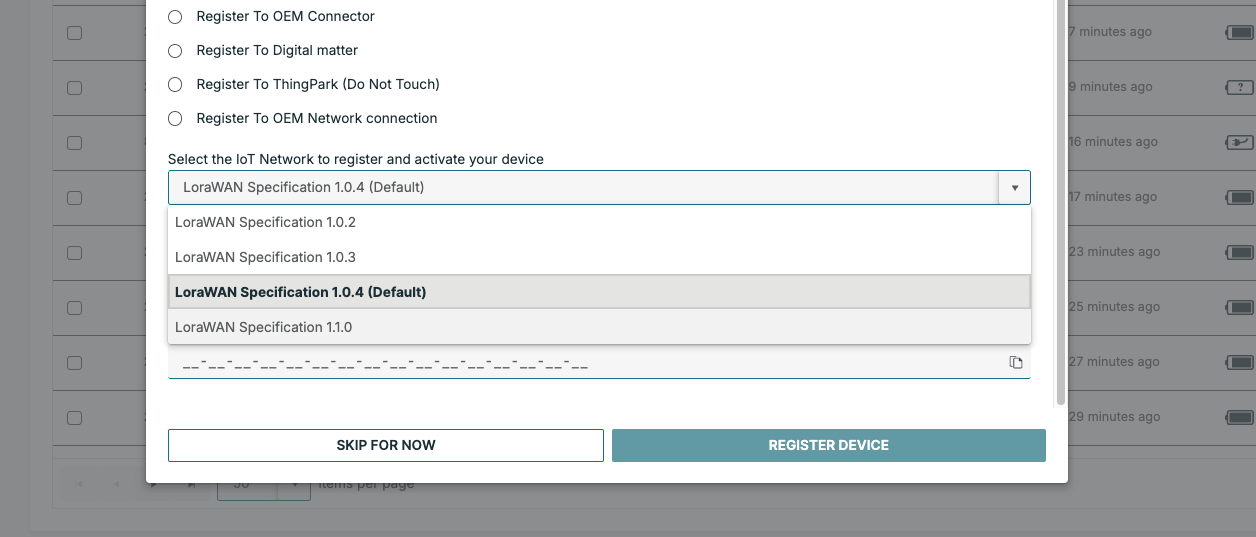
LoRaWAN Version Support: Different LoRaWAN Versions are now supported in the management and OTAA registration flow for LoRaWAN devices.
Device Overview: The Device Overview page now organizes information into cards, including General Information, Device Status, Custom Fields, and Device Location.
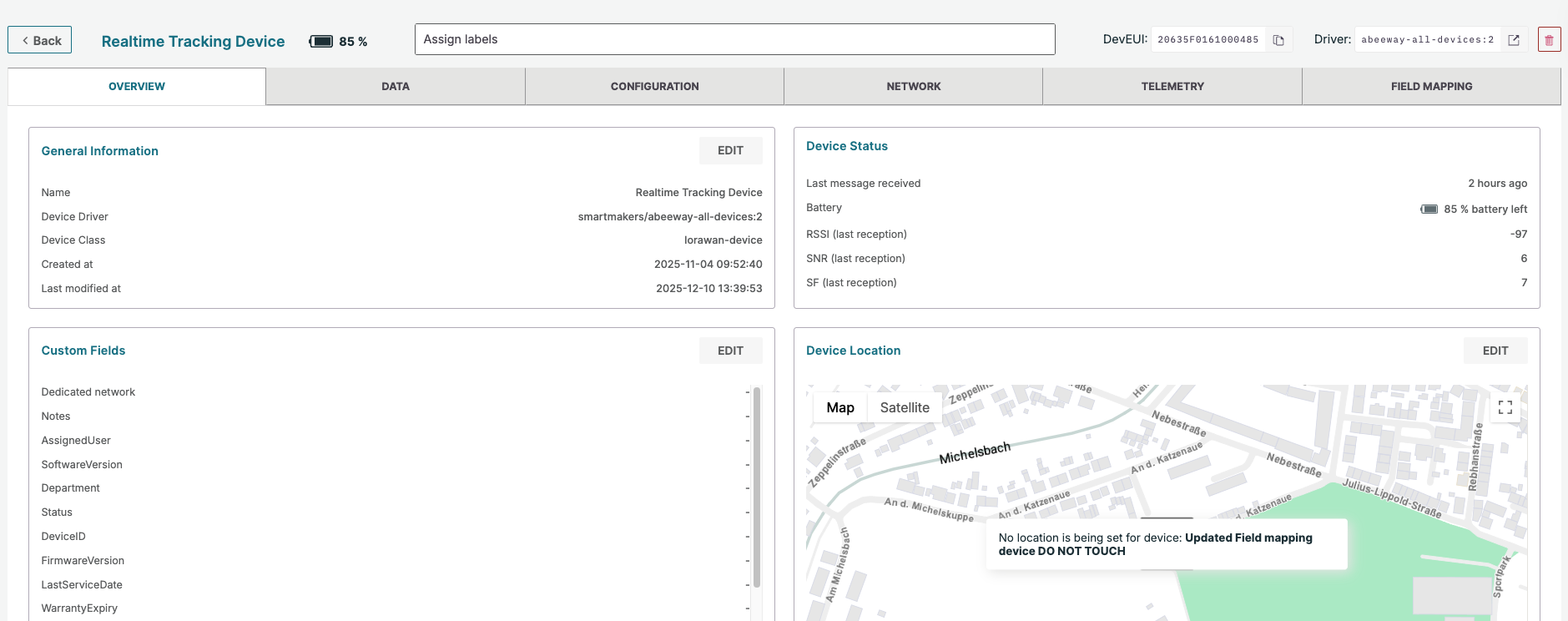
Device Overview Detail Page: The Overview, Configuration, Telemetry, and Field Mapping tabs have been upgraded to the latest user interface(TH-5229)
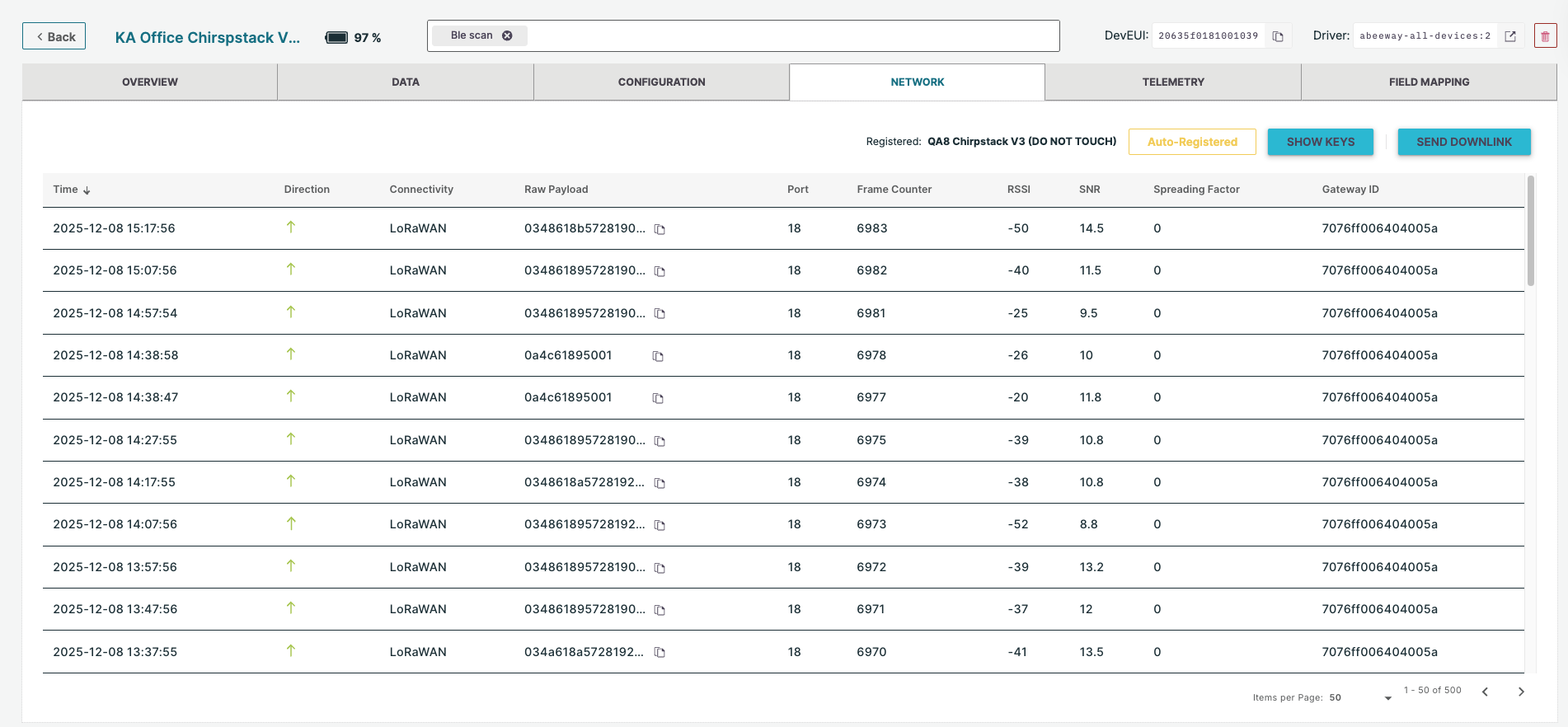
BLE Gateway Network Connector: Implemented the full lifecycle for BLE Gateway devices, including the CREATE flow and a secure DELETE process, which removes all corresponding security credentials from the cluster-wide MQTT Broker (EMQX) to force gateway disconnection. (TH-5246)
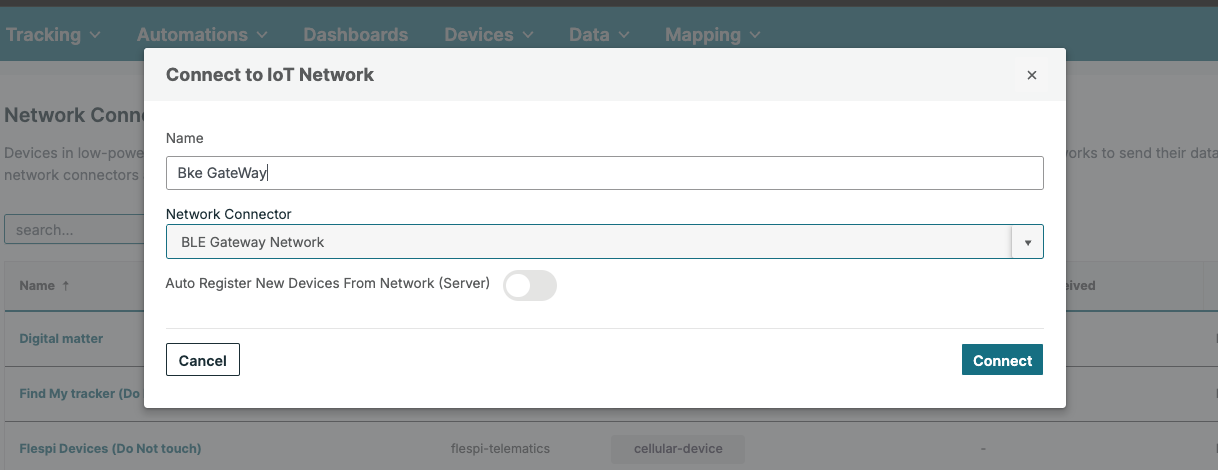
Actility LNS/Swisscom Integration: Functionality has been added to register and unregister devices from thingsHub with the Actility ThingPark Wireless LNS/Swisscom network server.
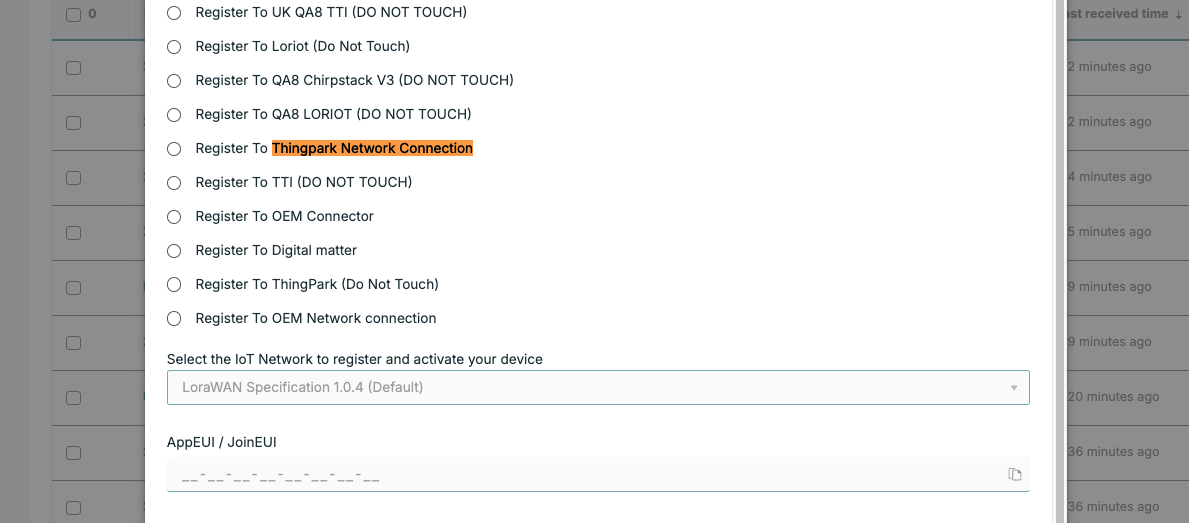
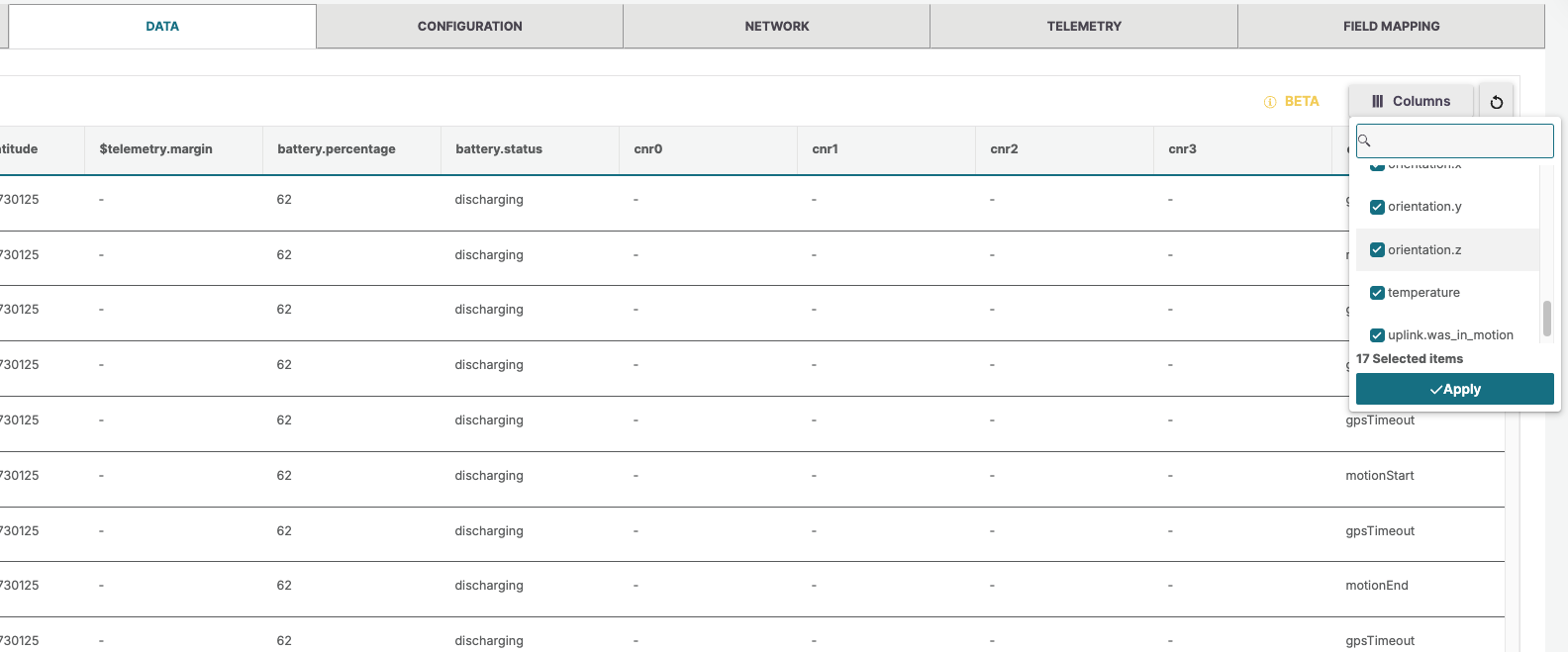
Data Table Customization: Users can now reorder fields/columns by dragging and dropping them.
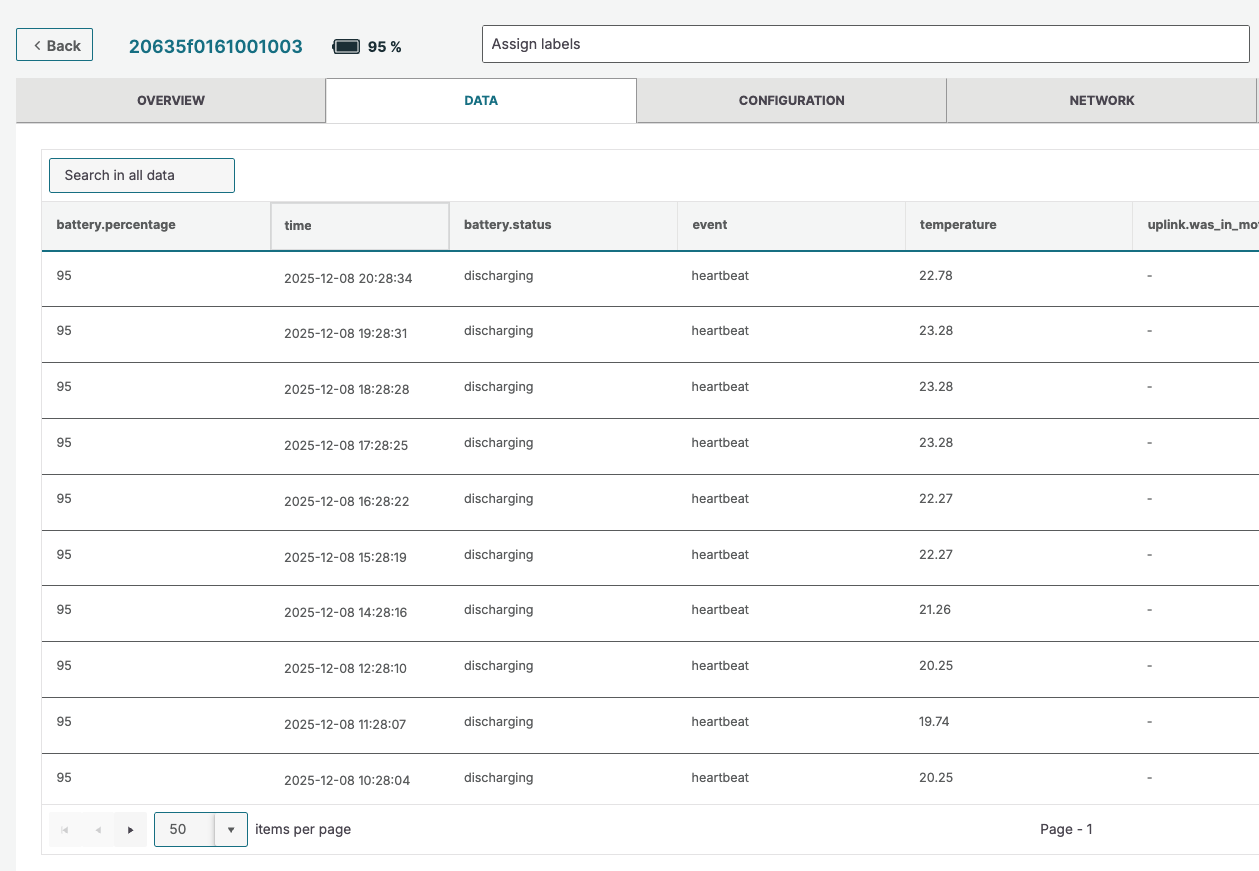
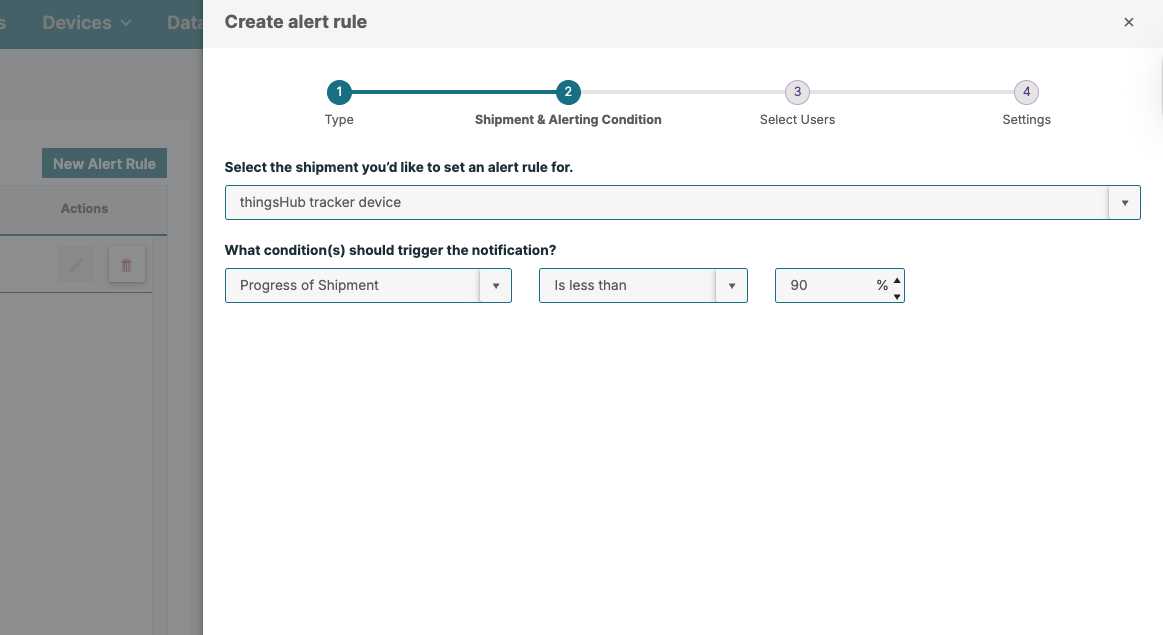
Shipment Notifications: Users can now set up percentage-based notifications within the Shipment creation wizard.
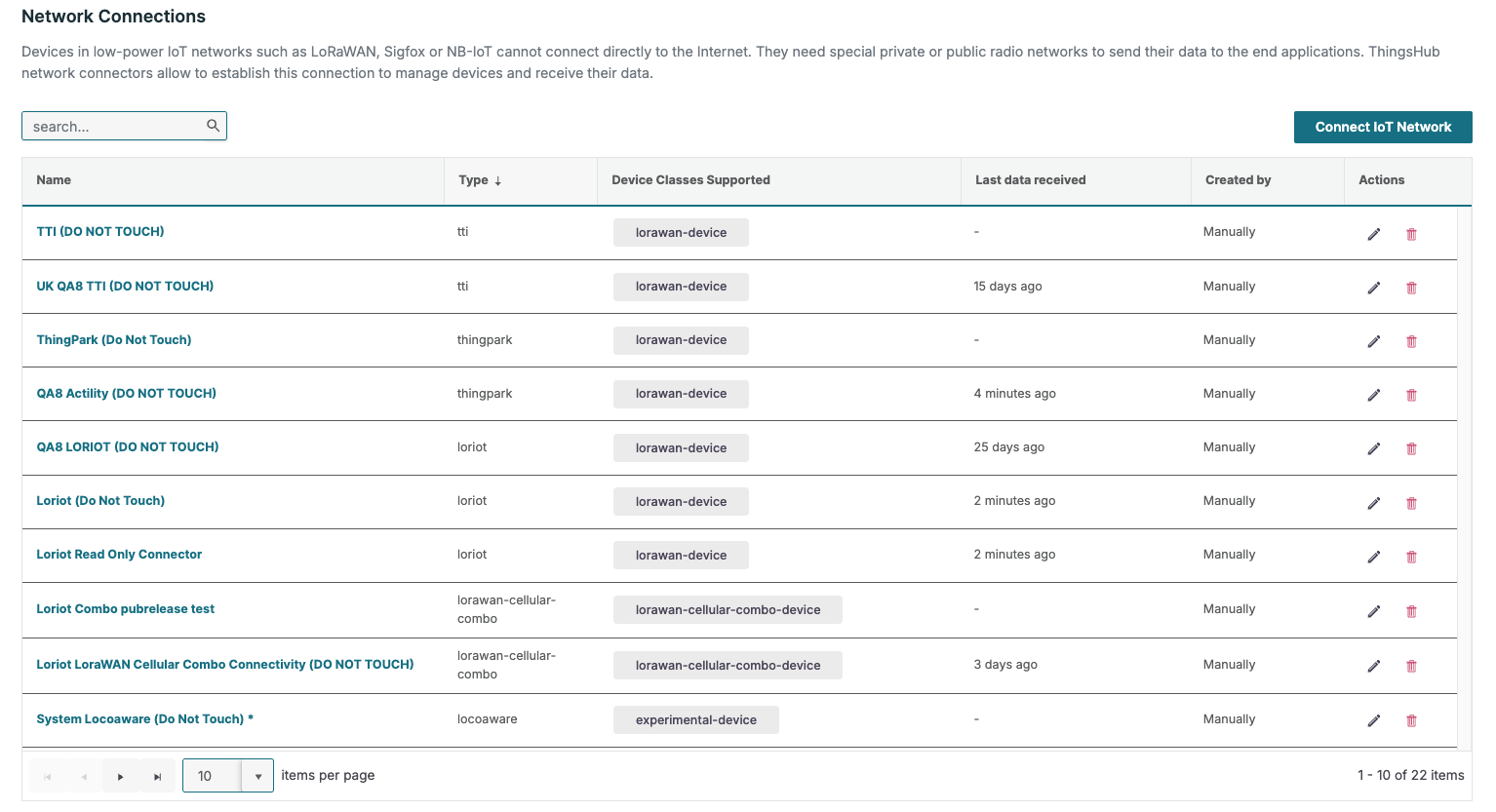
Network Server Management: The Network Servers/Connections list now supports standard pagination, sorting, and searching for improved efficiency.
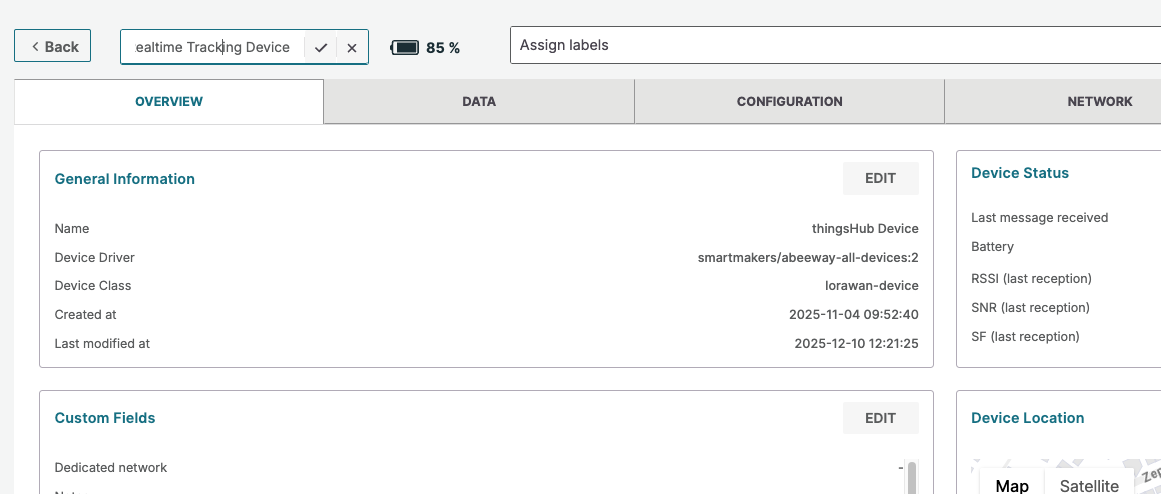
Device Naming: The workflow to change the name of a device has been optimized for speed and ease of use.
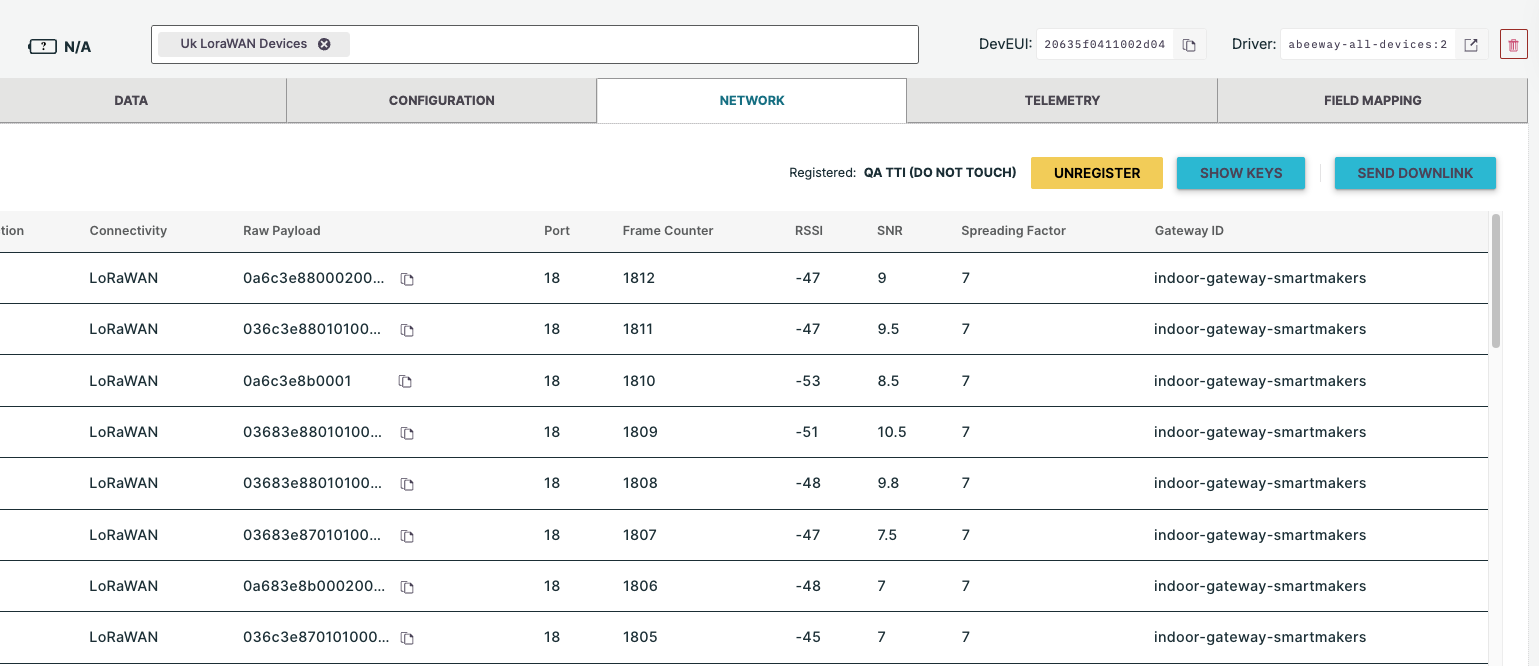
Device Detail Network Tab: The Network Tab has been implemented across multiple device classes, including LoRaWAN, Cellular, BLE Gateway, LoRaWAN-Cellular combo, BLE Beacon, and EXPERIMENTAL devices.
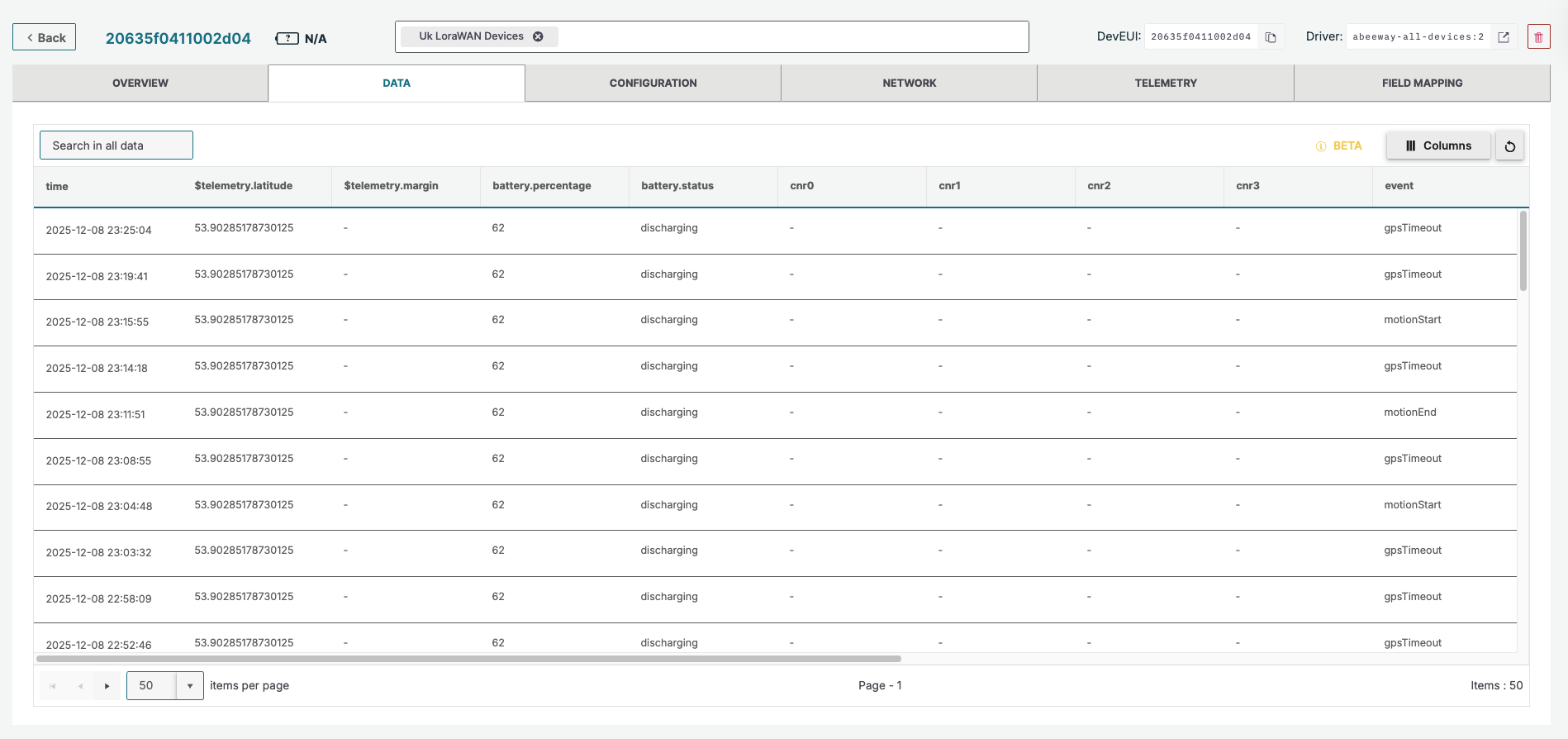
Device Data Tab: Functionality to enable reorganization and show/hide of columns in the Data tab has been implemented.
Enhancements (Improvements)
Data Grid Pagination: The "Data" grid pagination has been reverted from infinite scroll to a regular paginator based on user feedback.
Zone ID Generation: Zone IDs are now generated as system-generated IDs, rather than being derived from the Zone Name on the frontend, ensuring uniqueness and supporting names of up to 255 characters.
FMATN Device Check: The FMATN device check cache has been improved to index by BLE MAC in addition to the Device ID, enhancing uplink processing speed and reliability.
Paginator Dropdown: The width of the paginator dropdown has been increased in device overview table to ensure the selected number of items is fully visible.
TTN/WMC3 Decommission: The deprecated WMC3 network connector and related components have been fully removed/decommissioned from thingsHub.
User Interface Tables: The "Granted User Permissions" table has been migrated from a legacy Material Table to the Kendo UI Grid to align with the new design system.
Bug Fixes
-
ThingsFlow Data Loss: The Device-data-in node in ThingsFlow has been updated to include reconnection behavior and connection status display, preventing silent data loss after NATS server restarts.
-
Fixed an issue where an error was returned when attempting to update a Device Name Longer Than 150 Characters.
-
Fixed an issue where the Asset Detail Side Dialog failed to open immediately after asset creation or via a direct URL query parameter.
-
Fixed an issue where an extra straight journey line was visible on the Shipment Asset status map after a new position update.
-
Fixed an issue where Shipment status fields (like
shipment_complete_date) were not correctly cleared when a shipment was restarted. -
The Sites list called during the creation of a Shipment Asset has been updated; the site limit is now 100, increased from the previous limit of 25
-
Updating an asset name with an existing asset name no longer returns a 404 "tracked-asset not found" error.
-
The Asset Map now uses a composite key for zones, fixing an issue where a Zone remained visible after hiding it if a zone with an identical ID existed on a different site.
-
Fixed an "Oops! Something went wrong" error in the Map widget on the iOS app.
-
The shadow visible in map and table views has been fixed.
-
Fixed visual problems with Buttons in the Asset Quick View drawer.
-
Fixed an issue where two clicks were required to start editing a field in device configuration.
-
Network Connector Creation failures now display user-friendly error messages instead of a generic "Internal Server Error".
-
Resolved an issue where unused Network Connectors would reappear in the dropdown during Network Connector Creation after an initial selection was made.
-
The Alert Rules UI no longer incorrectly displays the Source as
"Shipments"instead of the actual value (e.g.,"Geofence"). -
The incorrect placeholder text in the "Select Users" search bar when creating an alert rule has been corrected.
-
Alert rule names containing "special characters" now display correctly in Alert Emails instead of as ASCII characters.
-
Search functionality now correctly works with dynamic labels.
-
The pagination label in Device Bulk Actions is now updated correctly for newly assigned labels.