
This guide outlines the process for upgrading your ThingsHub installation to version 7.5
Following the Upgrade Path
For a seamless upgrade, consult the Upgrade thingsHub document to determine the exact sequence required for your current version. Look for "mandatory" in the page title to identify essential steps in the upgrade path. These mandatory upgrades ensure compatibility and prepare your system for the final upgrade to 7.5.x.
What's New?
Before upgrading, be sure to do the following:
Review the What's New page for details on new features and functionalities introduced in version 7.5.x.
Upgrading from Previous Versions
Direct upgrades to thingsHub 7.5 can be done if you are using any thingsHub version 7.0.latest+.
If you're using an older version, an upgrade to version 7.0.latest is recommended before you upgrade to thingsHub 7.5.x.
Before You Begin
-
Make sure to read the What's New for release 7.5.x.
-
Make sure the thingsHub Installation to be upgraded is in the version 7.0.latest+.
Determine which version to upgrade to
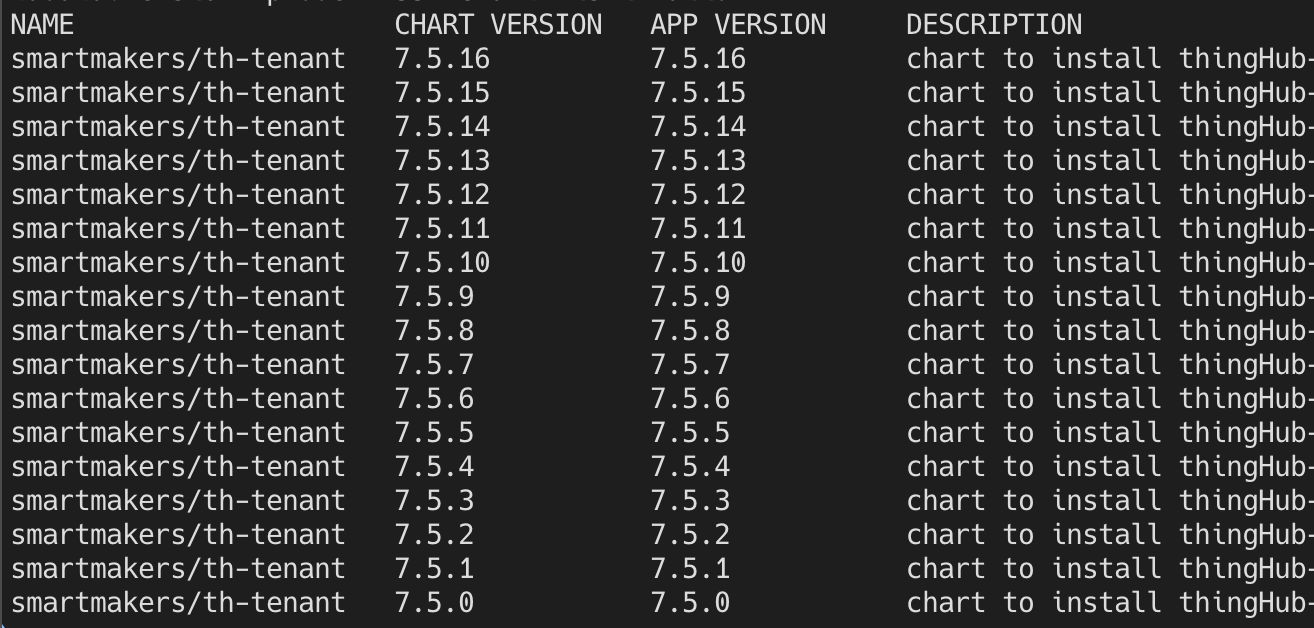
This section shows how you can list all the available patch versions available for this thingsHub version, i.e., 7.5. You can select the patch version you want to upgrade your thingsHub Installation to. We recommend using the latest available patch version to not miss out on any bug fixes and security patches.
#!/bin/bash
helm3 repo add smartmakers http://helm.smartmakers.de
helm3 repo update
helm3 search repo smartmakers/th-tenant --version 7.5 --versions
Update Tenant Configuration
thingsHub 7.5 has renamed the tenant_mode setting in the helm configuration to make it clearer what that setting actually does.
The Change at a Glance
In the older versions, you had to define the "tenant_mode" of the entire tenant. In the new version, you simply toggle the tracking feature on.
|
Aspect |
Old Way (Pre-7.5) |
New Way (7.5+) |
|
Key |
|
|
|
Value |
|
|
|
Logic |
Defines a specific "mode." |
Enables a specific "feature." |
Find this:
global:
  ...
  tenant_mode: trackinghub
  ...
Replace it with this:
global:
  ...
  tracking_enabled: true
  ...
For tenants that were in the thingshub mode, you can simply omit the tracking_enabled setting from the helm configuration.
Backup Databases
Before applying the upgrade, back up all your data from both the time-series database and the relational database. This section explains how you can backup and restore your databases.
Postgres
#!/bin/bash
# backup:
pg_dump -U <your-user> -h <address-to-your-db> -p <port> --database <your-database> --no-owner --format=t --verbose >sql.dmp
# restore:
pg_restore -d <database> -h <address-to-your-db> -p <port> -U <your-user> --no-owner --role=<your-user> sql.dmp
InfluxDB
Make sure that InfluxDB is port-forwarded to port 8086 in the system where you're running the shell commands.
#!/bin/bash
# backup:
influxd backup -portable -db things_hub ./influxdata/
# restore:
influxd restore -portable -db things_hub ./influxdata/
If you have set up any other backing-up mechanisms in your infrastructure, you can leverage that for the backups in place of the one mentioned above.
Apply the Upgrade
After setting everything up, we can proceed to upgrade the thingsHub Installation.
#!/bin/bash
helm3 repo update
helm3 upgrade <your-thingshub-installation> --namespace <your-thingshub-namespace> smartmakers/th-tenant --version 7.5.x -f <tenant_configuration.yaml> --atomic
Post Upgrade Steps
Post Upgrade Testing
We recommend doing smoke testing on your thingsHub Installation after the upgrade to ensure that the system is functioning smoothly.