
Field Types Overview
ThingsHub provides a range of field types that allow you to store and manage various kinds of data.
Each field type comes with unique configuration options. Some field types support sorting and filtering based on the data type when used with Views.
This following table details each field type's configuration options, sorting, and filtering capabilities.
|
Field Type |
Configuration Options |
Support for Creating |
Support for Filtering |
Support for Sorting |
|---|---|---|---|---|
|
SingleLineText |
None |
✅ |
✅ |
✅ |
|
Number |
None |
✅ |
✅ |
✅ |
|
Decimal |
Precision |
✅ |
✅ |
✅ |
|
Checkbox |
None |
✅ |
✅ |
❌ |
|
DateTime |
None |
✅ |
✅ |
✅ |
|
SingleSelect |
Options (String values) |
✅ |
✅ |
✅ |
|
Duration |
None |
❌ |
❌ |
❌ |
|
Percentage |
None |
❌ |
❌ |
❌ |
Supported Field Types
1. SingleLineText
-
Type: SingleLineText
-
Description: This field is used to store a single line of text, suitable for short descriptions, names, titles, or any data that doesn't require multiple lines.
-
Configuration: No configuration is required.
-
Filtering & Sorting:
-
Filtering: Supported
-
Sorting: Supported
-
2. Number
-
Type: Number
-
Description: This field type is designed to store integer values (whole numbers), making it ideal for quantities, counts, or other non-decimal data.
-
Configuration:
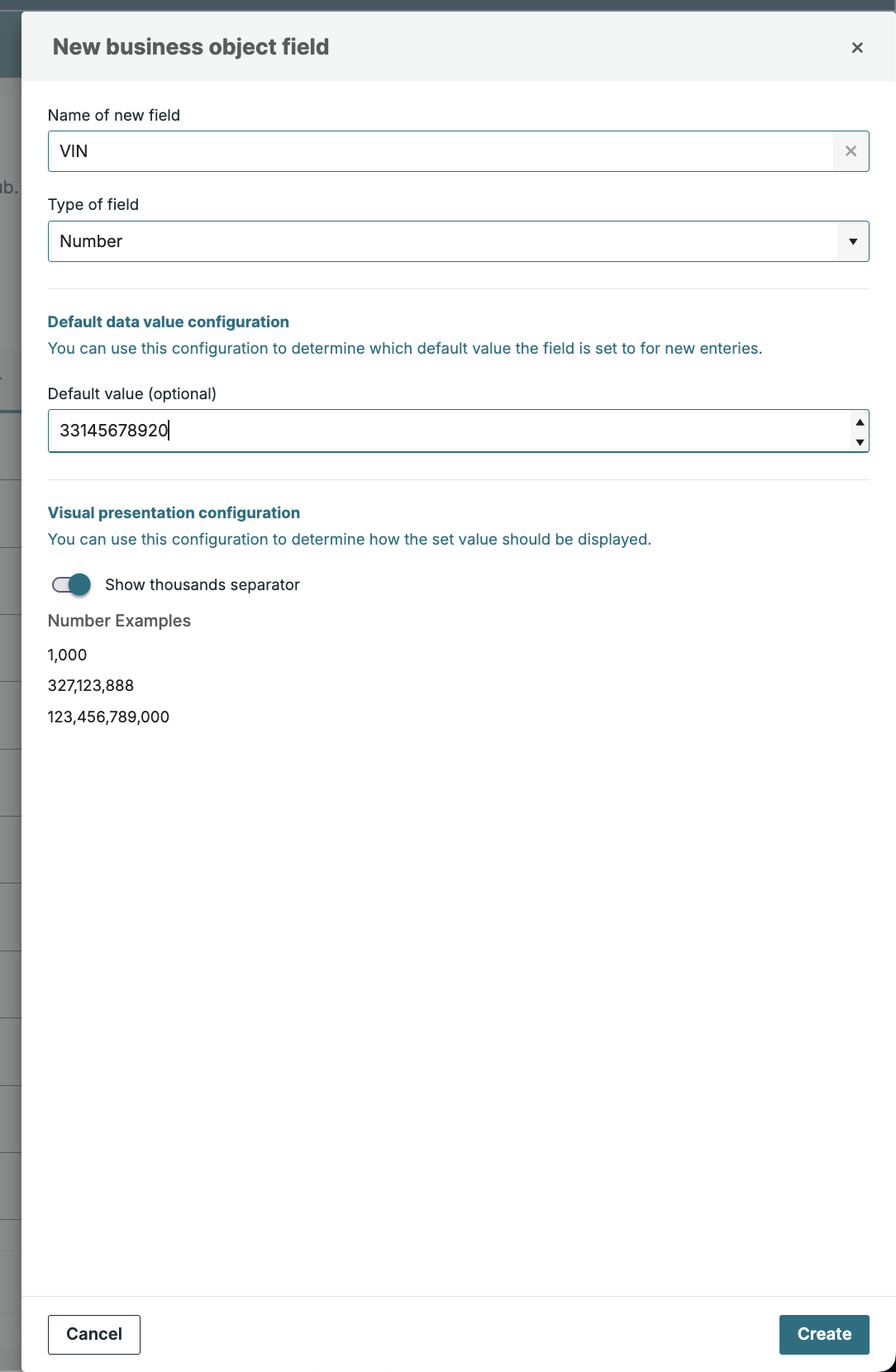
Configuring a Number type field -
Default Value: The default value assigned to this field when a new record is created.
-
Show Thousands Separator: This flag controls whether the thousands separator (comma
,or dot.) is shown when the field value is displayed.
-
-
Filtering & Sorting:
-
Filtering: Supported
-
Sorting: Supported
-
3. Decimal
-
Type: Decimal
-
Description: Used for storing floating-point numbers with decimal places. This is useful for precise measurements, calculations, and any data requiring fractional values.
-
Configuration:
-
Decimal Places/Precision: You can configure the precision of this field, by selecting how many decimal places the value should display. Options range from 1 to 8 decimal places.
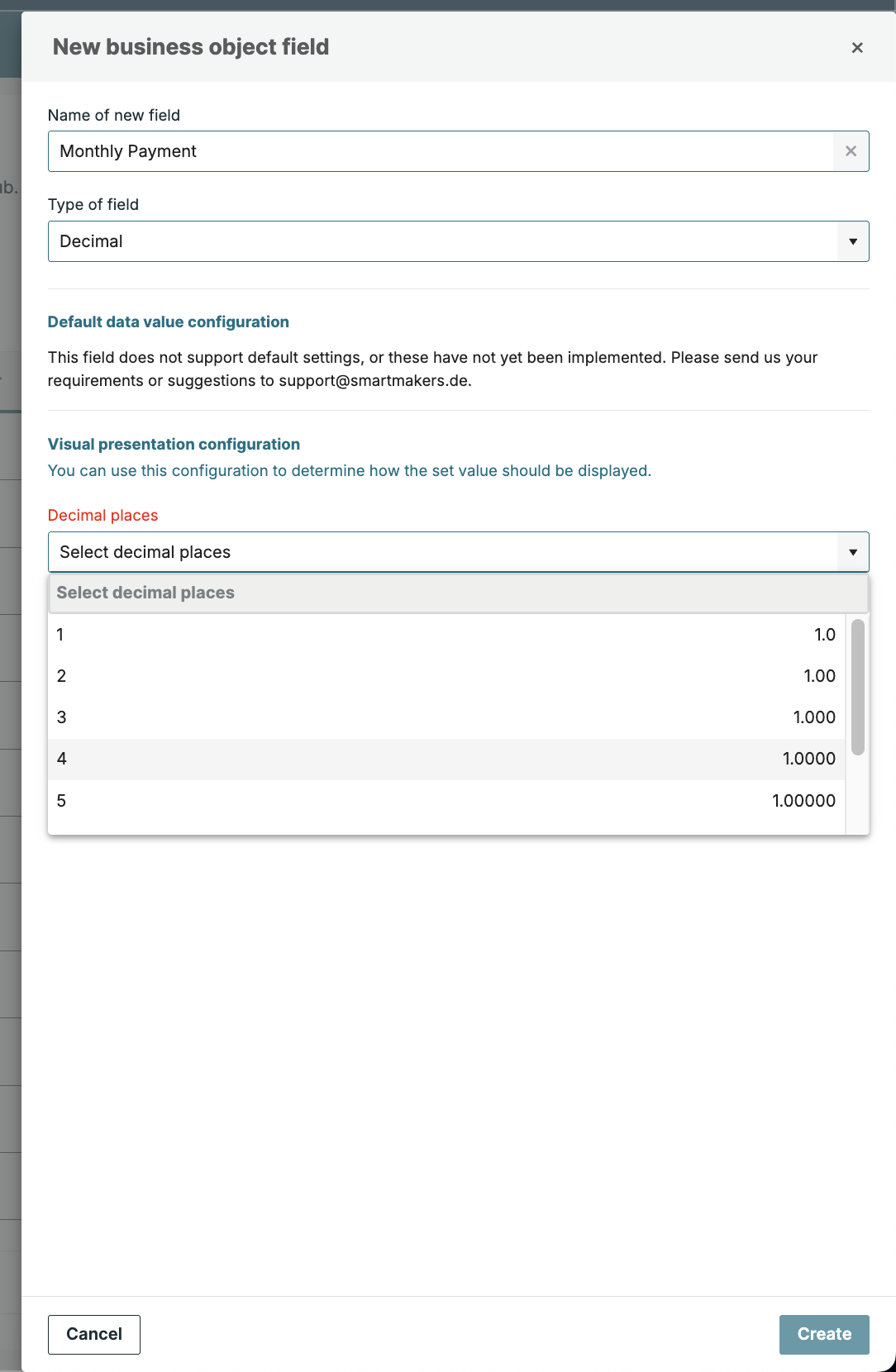
Configuring a Decimal type field -
The value is stored with the full precision entered, regardless of the display precision.
-
-
Filtering & Sorting:
-
Filtering: Not supported
-
Sorting: Supported
-
4. Checkbox
-
Type: Checkbox
-
Description: This boolean field represents a true/false or checked/unchecked state. It is ideal for simple on/off, yes/no, or boolean flags.
-
Configuration:
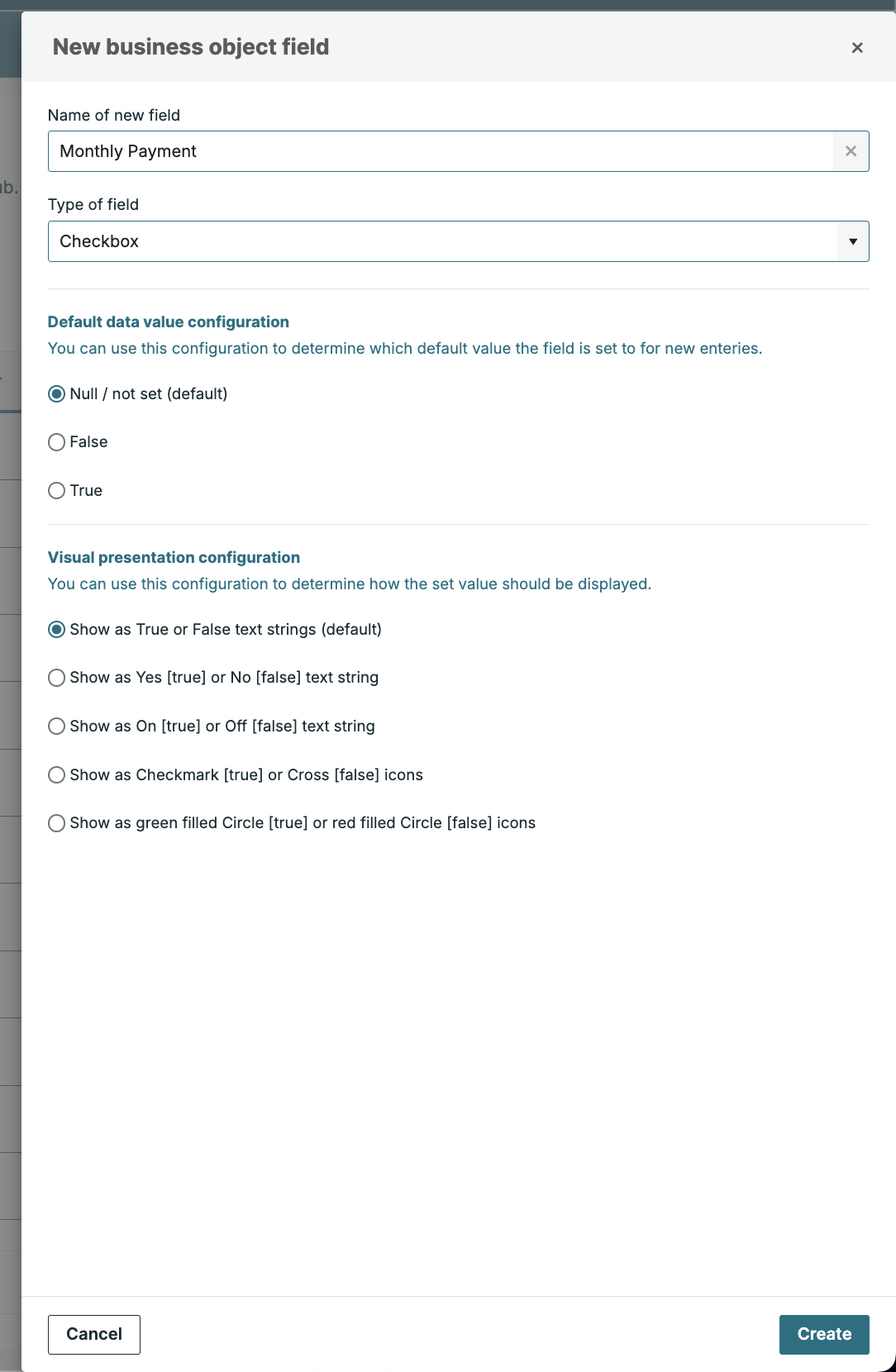
Configuring a Checkbox type field -
Default Value: The default value assigned to this field when a new record is created.
-
Show Thousands Separator: This flag controls how the boolean value is displayed/shown in views.
-
-
Filtering & Sorting:
-
Filtering: Supported
-
Sorting: Not supported
-
5. DateTime
-
Type: DateTime
-
Description: This field is used for storing both the date and time, making it perfect for timestamps, deadlines, appointments, or any other time-sensitive data.
-
Configuration: No configuration is currently supported.
-
Formatting:
-
The date format is set to
YYYY-MM-DD -
The time is stored in a 24-hour format, and the time format is set to
HH:mm:ss
-
-
Filtering & Sorting:
-
Filtering: Supported
-
Sorting: Supported
-
6. SingleSelect
-
Type: SingleSelect
-
Description: This field allows the user to choose from a predefined list of options. It’s useful for scenarios where only one choice from multiple options is allowed, such as selecting a category, status, or any other predefined value.
-
Configuration:
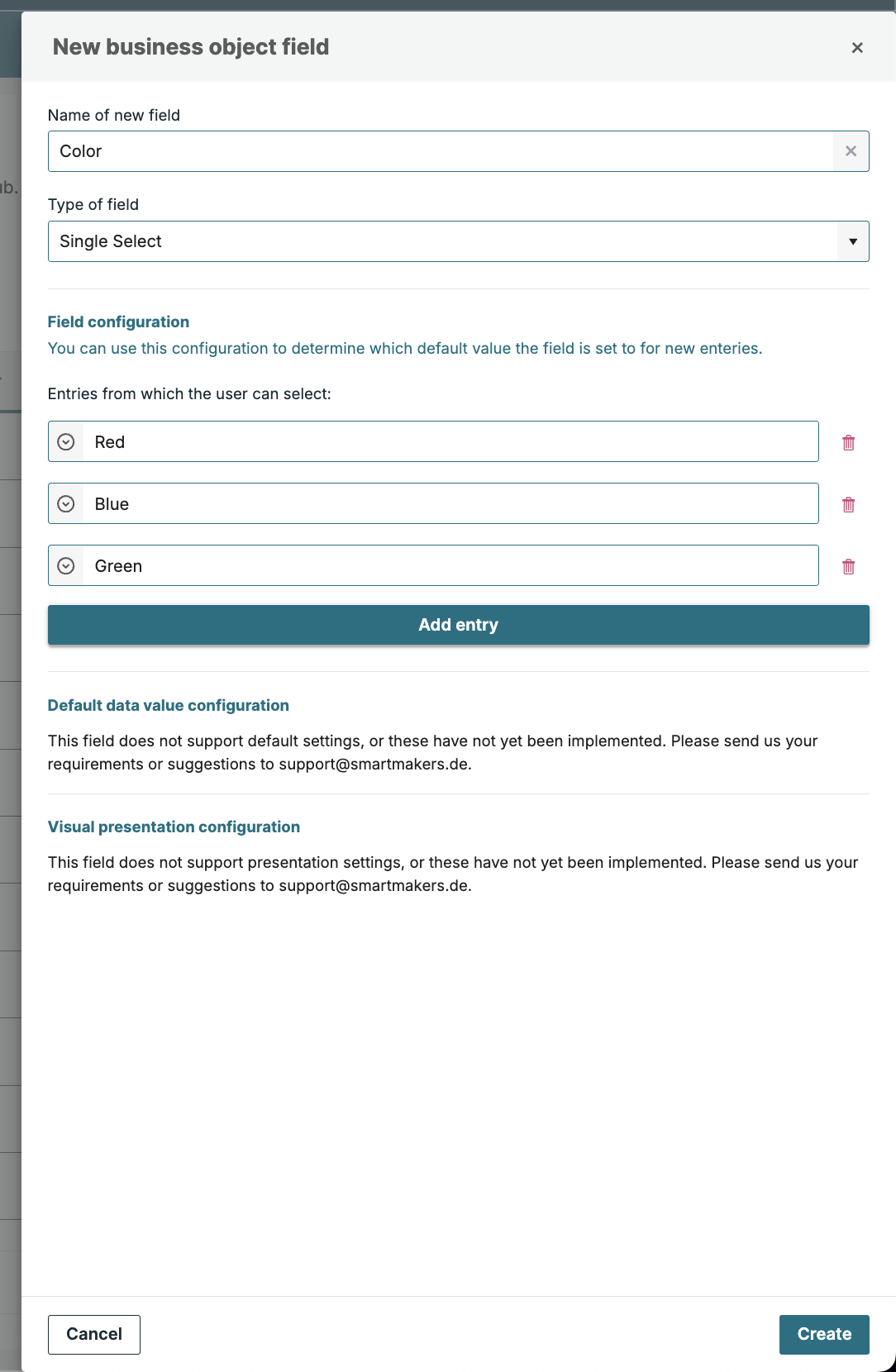
Configuring a SingleSelect type field -
Options: A list of string values representing the user's available choices.
-
For example:
If the field contains the options Red and Green, the field will only accept the values Red and Green. This field cannot be assigned any other values except Red and Green. -
Changes in any option value in the field configuration will also update the value in the underlying data and filter values.
-
-
Filtering & Sorting:
-
Filtering: Supported
-
Sorting: Supported
-
Read-Only System Field Types
thingsHub employs certain field types that are integral to its core functionality. While users cannot create new fields of these types, they are important to understand as they may appear in various parts of the system.
7. Percent
-
Type: Percent
-
Description: Represents percentage values, typically used for statistics, performance metrics, or any data expressed as a percentage. The value can exceed 100% if needed (e.g., 150% or more).
-
Configuration: No configuration is required.
-
Filtering & Sorting:
-
Filtering: Not supported
-
Sorting: Not supported
-
8. Duration
-
Type: Duration
-
Description: Represents a span of time, typically used to show the relative difference between two points in time.
-
Configuration: No configuration is required.
-
Filtering & Sorting:
-
Filtering: Not supported
-
Sorting: Not supported
-
For Durations, thingsHub uses the following conventions:
-
1 week = 7 days
-
1 month = 30 days
-
1 year = 365 days