
Overview: Thingshub 8.6 delivers improvements across language accessibility, device label management, and asset tracking workflows. The login experience now respects both browser language settings and tenant defaults, so users reach a localized interface from the very first screen. Labels can be renamed or deleted directly from the device sidebar without navigating away, and the interactive map now supports full asset journey history and site floorplan positioning bringing a more consistent experience across the platform. Several usability issues affecting search, validation, and automation configuration have also been resolved in this release.
New Features
-
Predictable Login Page Language Behaviour: The login page now honours two language signals before a user authenticates: the browser's configured language and the tenant's default language. Changing the language on the login page no longer overwrites the user's saved account preference, it only affects the pre-login screen, leaving the profile setting untouched after sign-in.
-
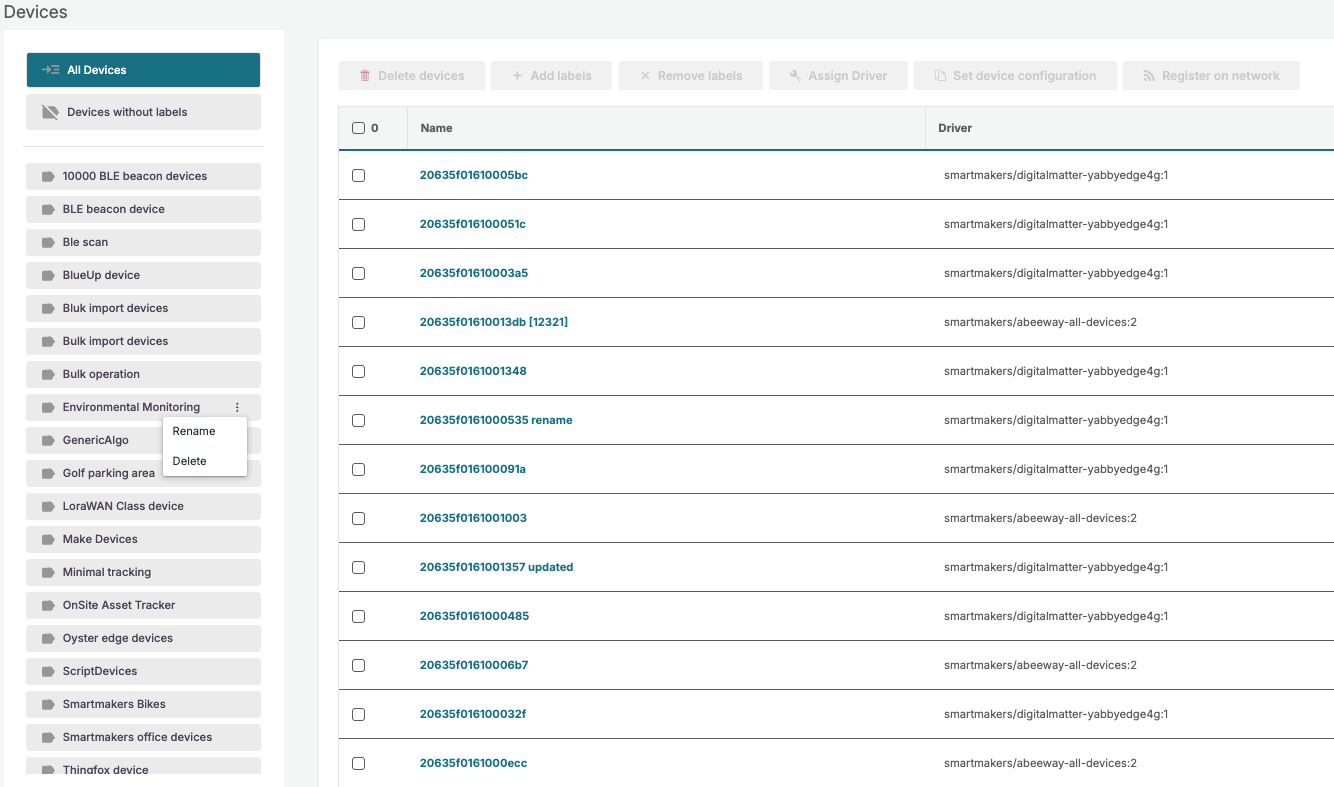
Rename or delete labels from the device sidebar: Labels can be renamed or deleted directly from the device overview sidebar, with a full dependency summary shown before confirming.
-
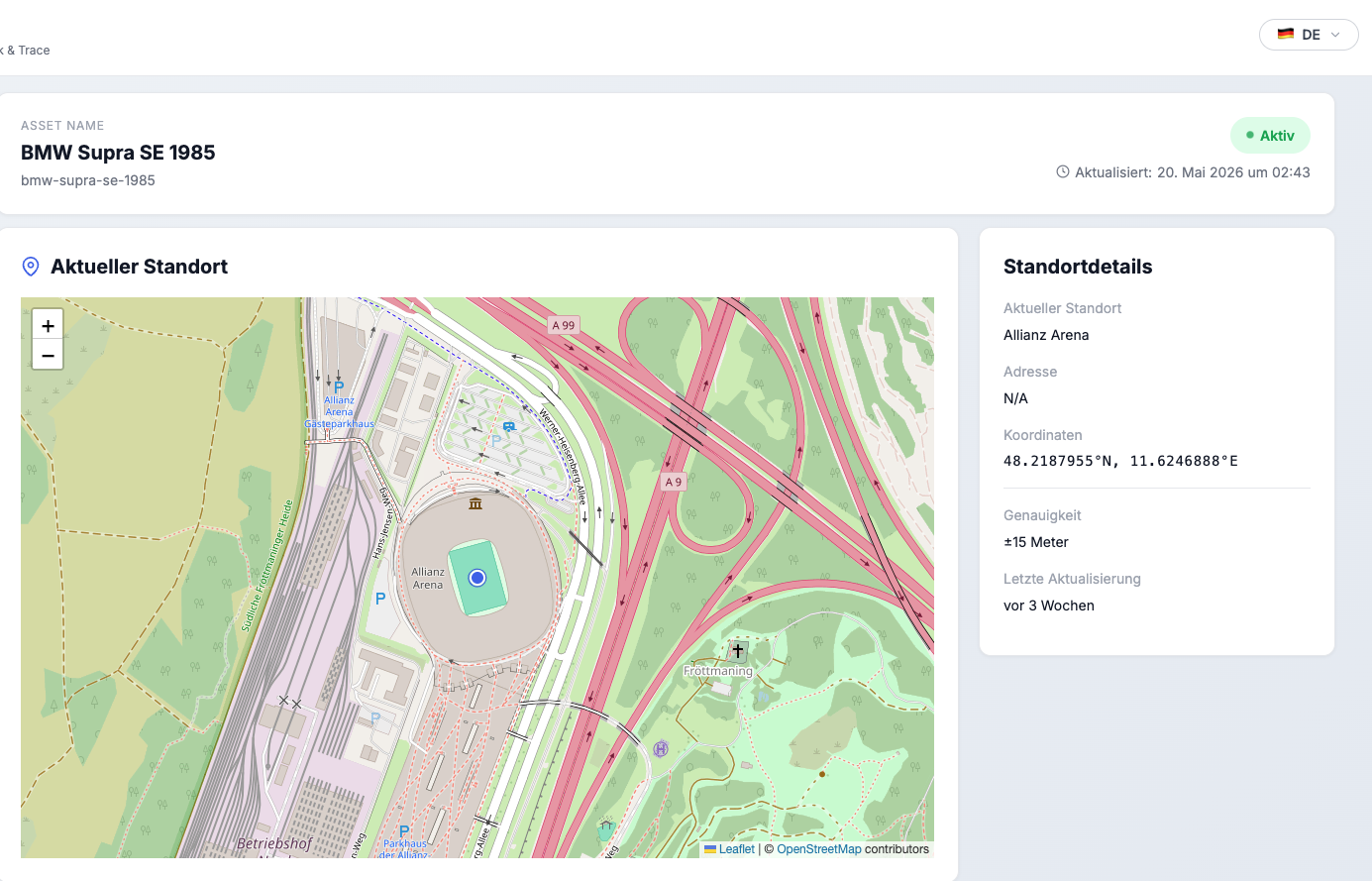
Language switcher on shared asset pages: External recipients can now switch the language of a publicly shared asset page to English (EN) or German (DE), without needing a thingsHub account. The page is optimized for browser translator in case the user speaks different language.
Enhancements
-
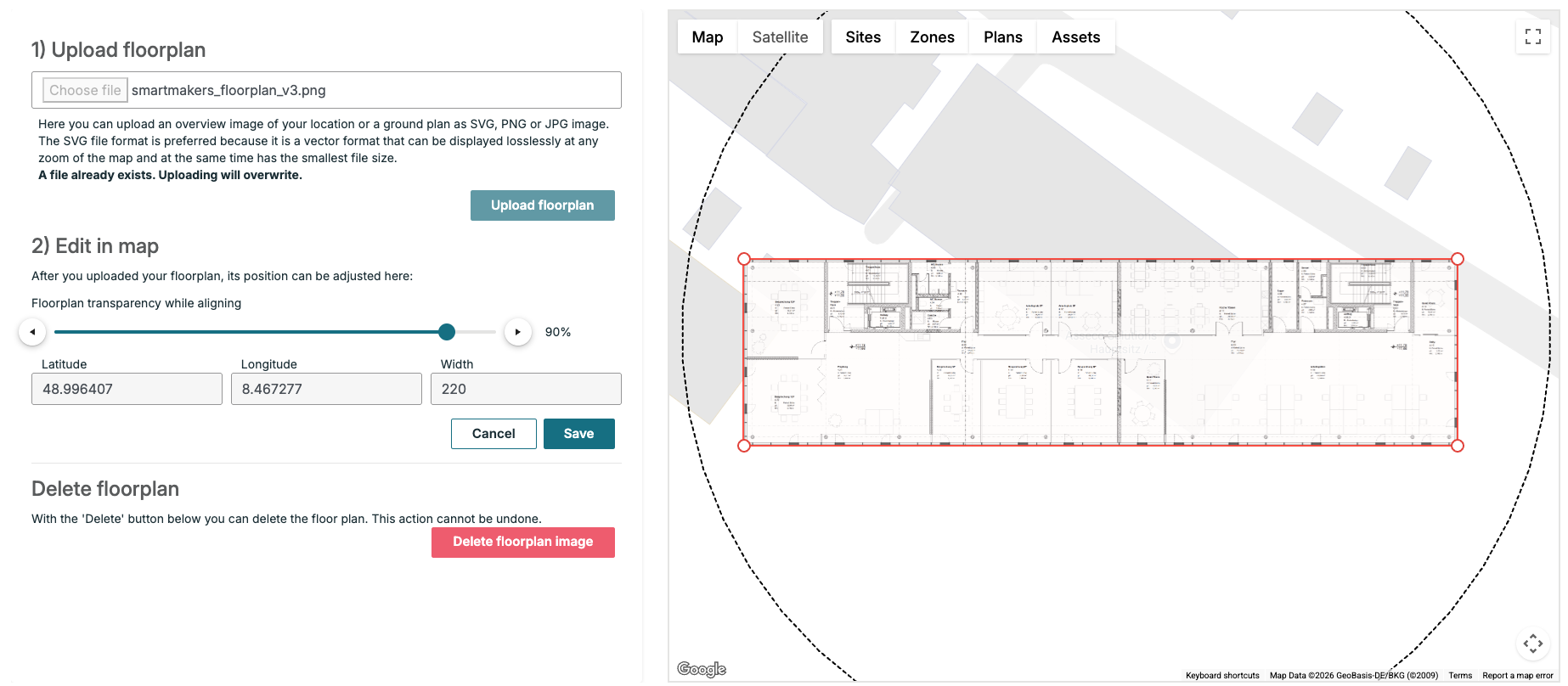
Site floorplan editing moved to the interactive map: Floorplan upload, positioning, and transparency controls now work within the same interactive map environment used everywhere else in thingsHub.
-
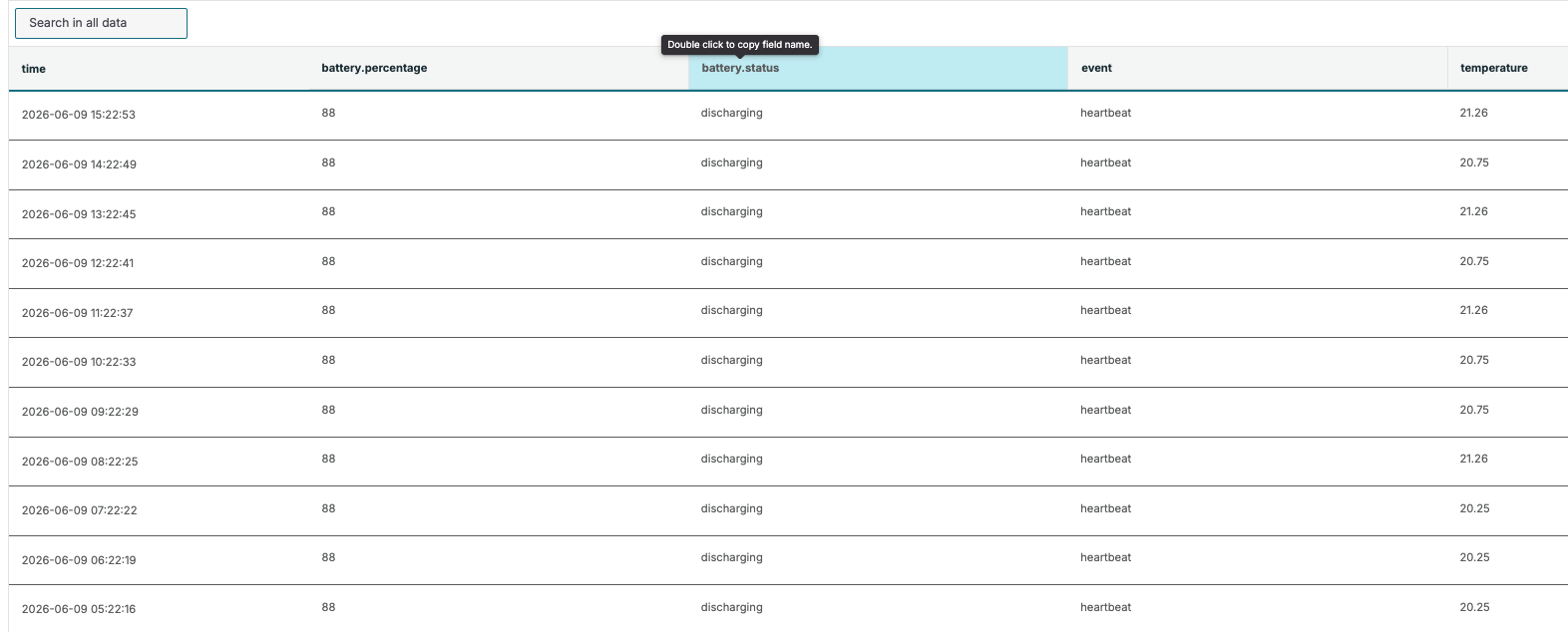
Double-clicking a column header in the Device Detail data tab copies the field name to the clipboard.
-
Invalid email errors now appear as inline messages directly beneath the field in device automations, consistent with all other forms in the platform.
Bug Fixes
-
Resolved an issue where automatic filtering during active typing caused the asset view search field to lose cursor focus and block continuous text input.
-
Fixed a visual layout bug where the Time Schedule dropdown displayed empty white space instead of a proper default placeholder when no time selection was present.