
Version 8.11.0 adds hands-on command and downlink tools for Wirepas and LoRaWAN devices and makes the profile menu easier to control. It also fixes a range of issues across the asset map, home dashboards, and Data Exchange, from floor plans vanishing on the map to downlink payloads being rejected.
New Features
-
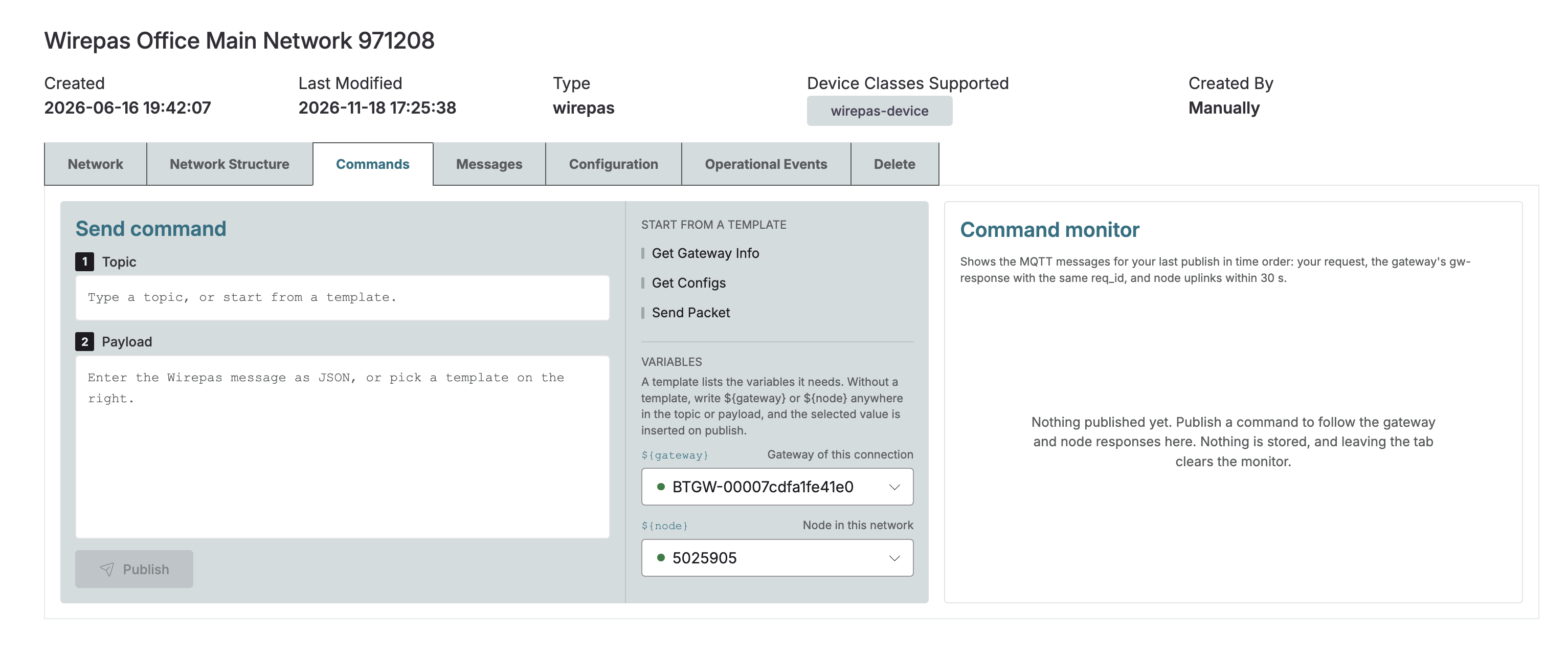
Send commands to Wirepas gateways: Network experts can send a command to a gateway from the Commands tab and see what it triggered on the timeline below, with ready made command examples and a picker for known gateways, so IDs no longer have to be typed by hand. A list of all previously sent commands is kept as well, so an earlier command can be reused without retyping.
-
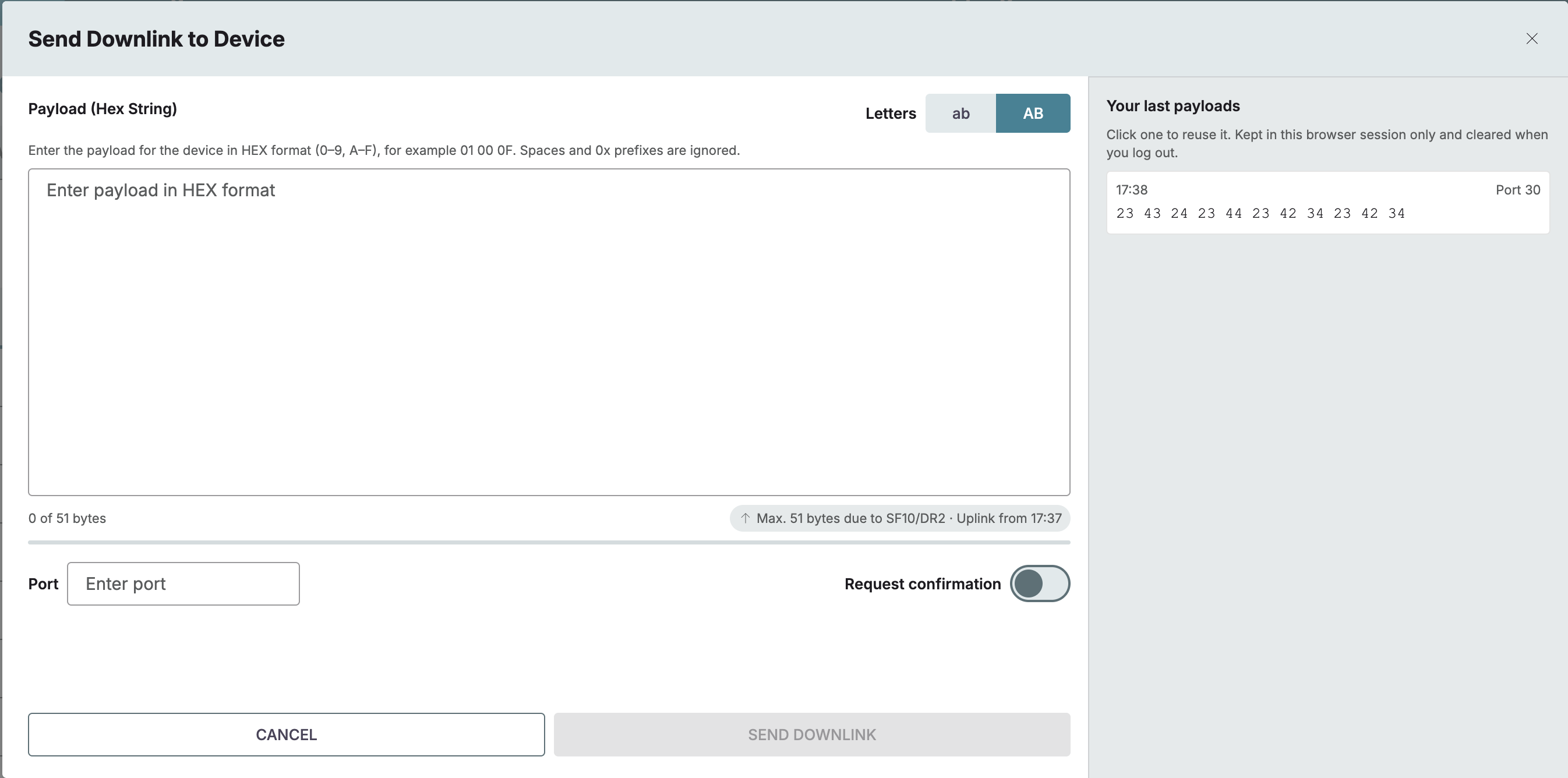
Send downlinks to Wirepas devices: Experts can send a downlink to a Wirepas device by hand from its Network tab; an oversized payload is flagged by its byte count with a warning, empty endpoints block sending, and the sent message appears in the network traffic.
-
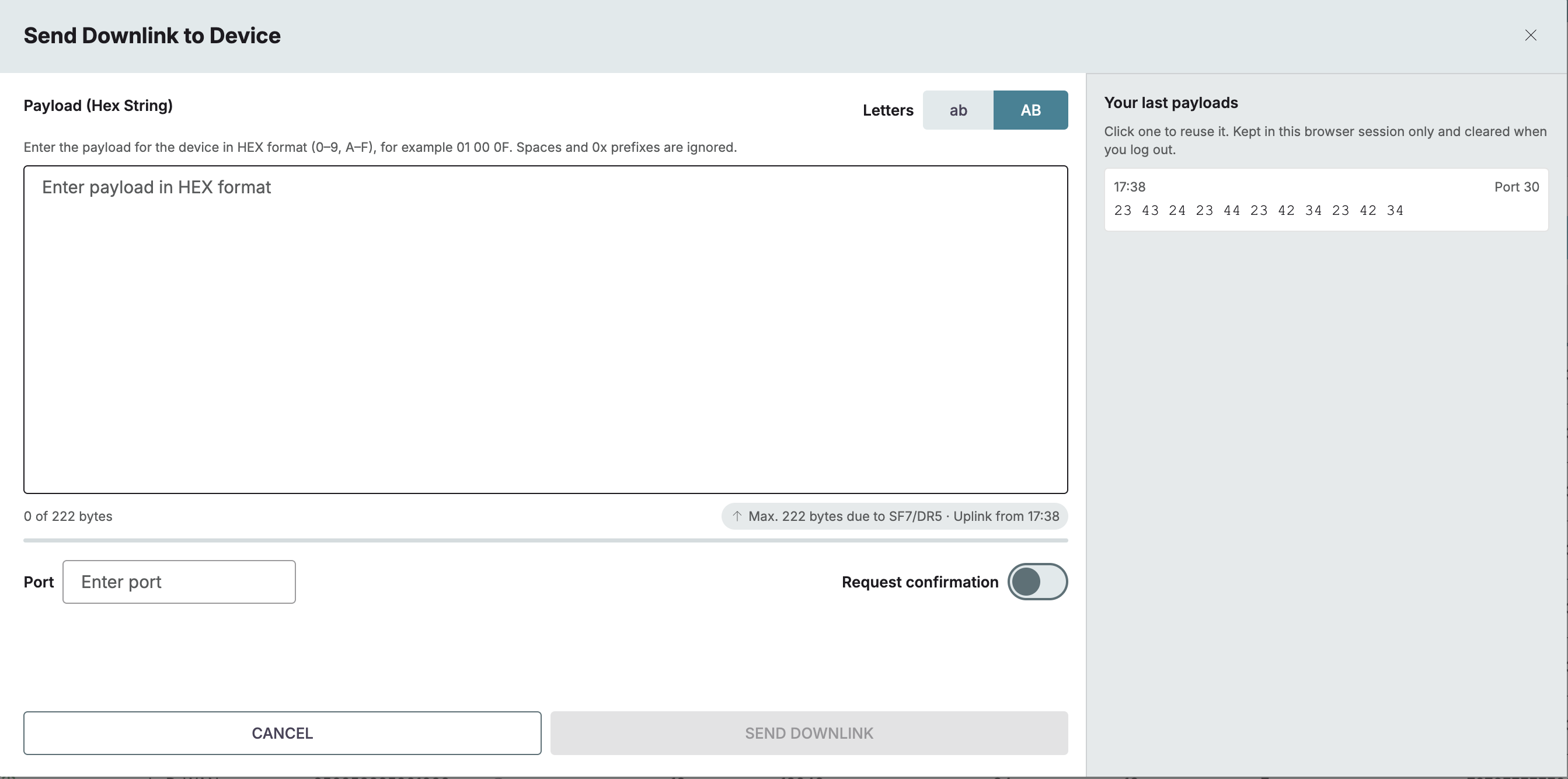
Easier downlink sending for LoRaWAN devices: The downlink dialog now accepts hex payloads written in any common notation, with or without 0x prefixes, commas, or line breaks. It also shows whether a payload fits the device's current data rate before sending, and lets a payload sent earlier in the session be resent in one click.
Enhancements
-
Profile menu opens on click: The profile menu now opens when clicked and closes on a second click or a click outside it, so it no longer opens by accident while navigating or using side panels and drawers.
Bug Fixes
-
Asset map floor plan: Fixed an issue where opening an asset preview removed the floor plan from the map and broke the show/hide control until a page reload, so that the floor plan stays on the map and the control keeps working.
-
Home dashboards count: Fixed an issue where the Dashboards card on the home page showed only the first page of results instead of the real total, so that it now shows the full number of dashboards in the tenant.
-
Data Exchange connection names: Fixed an issue where name rules differed between creating and renaming a connection; empty or invalid names could be saved, and a rejected name lingered in the page header and delete dialog, so that names are validated consistently, and the saved name is always shown.
-
Data Exchange data preview: Fixed an issue where the Data Preview table had no footer, showed sort controls on columns that cannot be sorted, and showed only a "loading…" text on slow connections, so that the footer is present, only the Time column offers sorting, and a spinner appears while the page loads.
-
Data Exchange search filter: Fixed an issue where renaming or deleting a data table cleared the active search and showed all tables, so that the list stays filtered by the current search text after either action.
-
Home page scrollbar: Fixed an issue where the home page was slightly taller than the screen and showed an unnecessary vertical scrollbar, so that the page fits within the viewport.
-
Floor plan scrolling: Fixed an issue where an uploaded SVG floor plan was cut off when scrolling the map, so that it stays fully visible while scrolling.
-
Dashboard sign-in redirect: Fixed an issue where opening a Visualizer dashboard link while signed out and then signing in with single sign-on landed on the home page, so that sign-in now returns to the dashboard that was opened.
-
Assets on Site after deleting a zone: Fixed an issue where deleting a zone left it showing on the Assets on Site tab of the Asset Stocks page, so that the tab no longer lists a zone that has been removed.