
Version 8.10.0 makes assets easier to find by searching the values in custom business object fields and extends the shared, consistent layout to Asset Management. It also resolves a broad set of display, permission, and language issues across device labels, filters, the home page, and the password and localization flows.
New Features
-
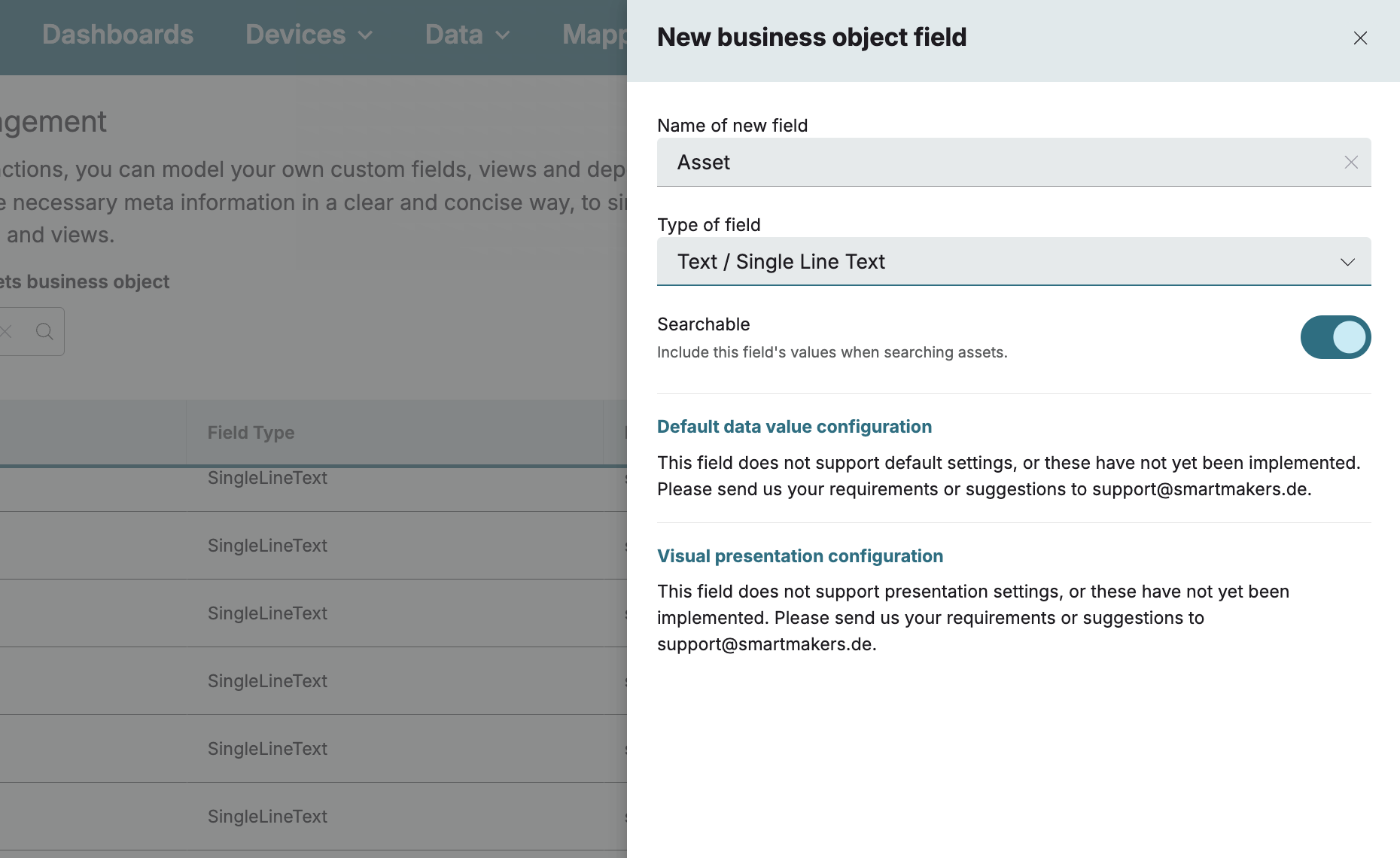
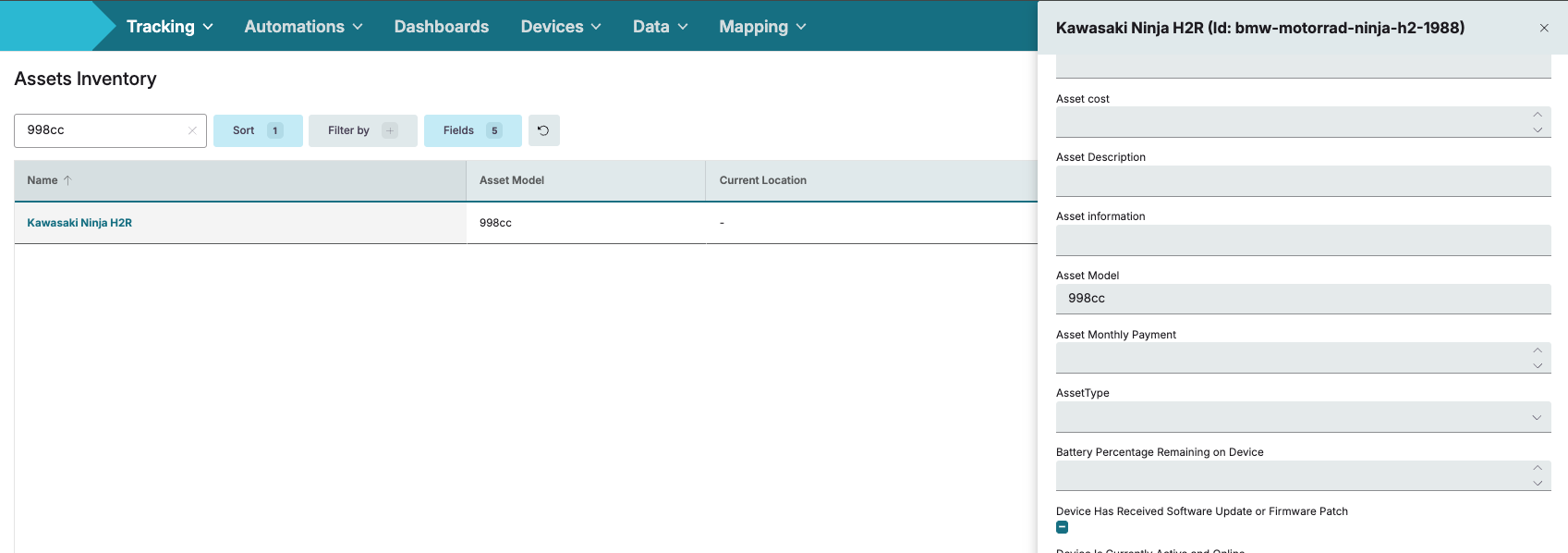
Find assets by their own details: Assets can now be found by the values in their custom fields, not only by name, location, or ID. Once a single-line text field is switched on for search, typing one of its values into the search within Asset views goes straight to the matching asset. Only single-line text fields can be made searchable, and when one is switched off, searching its values in Asset views returns no results.
Enhancements
-
Consistent Assets Management layout: Assets Management views now use the same shared layout as the dashboards and devices pages, giving a consistent structure, navigation, and styling across the platform.
-
Refined visual consistency in asset views: Several theme inconsistencies across asset views have been smoothed out, including side-panel padding, archive placeholders, and how an asset’s name and ID are presented for a cleaner, more uniform appearance
Bug Fixes
-
Device label persistence: Fixed an issue where an assigned label showed a success message but disappeared after a page refresh, so that assigned labels now persist and the confirmation reflects a genuinely saved change.
-
Device network table: Fixed an issue where a large raw payload overflowed its column and stretched the row height, so that the value now wraps or truncates cleanly within the standard column width and row height.
-
Clearing a filter value: Fixed an issue where clearing a filter value field had no effect, so that clearing it now removes the filter and refreshes the records.
-
Home page cards: Fixed an issue where the cards on the home page were misaligned, so that they now follow a consistent layout, spacing, and alignment.
-
Custom fields permissions: Fixed an issue where the Edit button for custom fields appeared enabled for Guest users without the required permission, so that the button now reflects the user’s actual permissions.
-
Change password page: Fixed an issue where the Change Your Password page lacked spacing above the Reset Password button and left the button greyed out even when the form was valid, so that the page now spaces correctly and the button shows the primary colour once the entry is valid.
-
Personal settings spacing: Fixed an issue where the password fields in personal settings sat flush against each other, so that they now have consistent vertical spacing.
-
Asset start date language: Fixed an issue where an asset’s start date displayed in German for users set to English, so that the date now follows the selected interface language.
-
User creation helper text: Fixed an issue where the password helper text in the new-user modal was not translated for German tenants, so that it now appears in German.